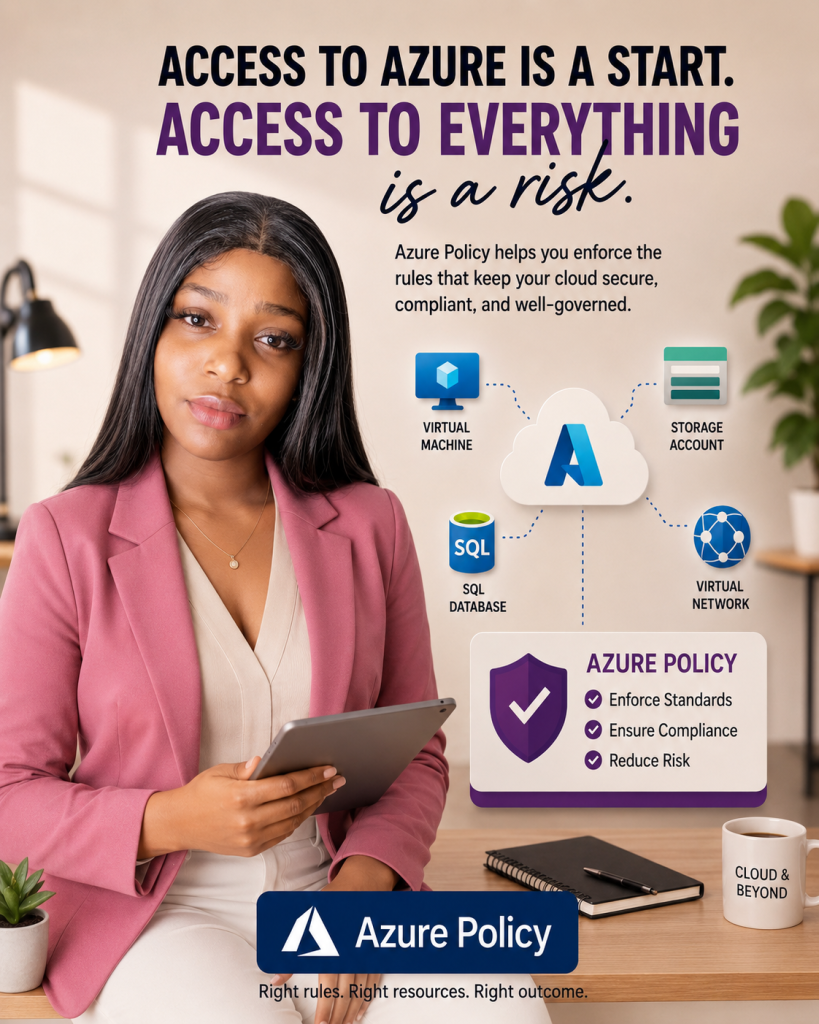
Azure Policy for Beginners: Understanding Cloud Governance Through Real-World Rules
Every Road Has Rules. So Does Your Cloud.
You can have a valid driver’s license.
A full tank of fuel.
Every legal right to be behind the wheel.
But if you’re driving 120 km/h in a 50 km/h zone, the law doesn’t care how qualified you are.
The speed camera still flashes.
The checkpoint still stops you.
The rules still apply.
Having permission to drive is not the same thing as following the rules of the road.
That distinction permission versus rules is exactly where many people get confused when they begin learning Microsoft Azure.
If you’ve learned about Azure RBAC (Role-Based Access Control), you’ve already encountered the concept of permissions. RBAC determines who can access and manage resources.
Azure Policy is different.
Azure Policy determines what rules those resources must follow once they exist.
In other words:
RBAC decides who is allowed to drive. Azure Policy decides what the road allows once they’re driving.
Once you understand this concept, a large part of Azure Governance suddenly becomes much easier to understand.
And if you’re preparing for AZ-900, AZ-104, or simply building your cloud knowledge, Azure Policy is a service you cannot afford to ignore.
What Is Azure Policy?
Azure Policy is a governance service in Microsoft Azure that helps organizations create, assign, and enforce standards across their cloud environment.
Think of it as the rulebook for your Azure resources.
Instead of relying on administrators, developers, and engineers to remember every organizational requirement, Azure Policy automatically evaluates resources against defined rules.
These rules can be used to:
Enforce security standards
Improve compliance
Restrict resource deployments
Standardize configurations
Control costs
Support regulatory requirements
Reduce operational risks
Simply put:
Azure Policy continuously asks one question:
“Is this resource following the rules?”
If the answer is no, Azure Policy can:
Flag the violation
Prevent the deployment
Modify the configuration
Automatically remediate the issue
depending on how the policy is configured.
Why Azure Policy Matters
Imagine a company with 100 cloud engineers.
Everyone has access to Azure.
Everyone knows how to deploy resources.
Everyone is trying to do the right thing.
Yet one person deploys resources in East US.
Another deploys in UK South.
Someone forgets to enable encryption.
Someone skips tagging resources.
Someone accidentally exposes a service to the public internet.
Nobody intended to create a problem.
But over time, inconsistencies begin to accumulate.
This is known as configuration drift.
Configuration drift happens when resources gradually move away from organizational standards.
The consequences can include:
Security vulnerabilities
Compliance failures
Increased cloud costs
Operational complexity
Failed audits
Azure Policy helps eliminate this drift by enforcing consistent standards across your Azure environment.
Instead of relying on memory, Azure relies on automation.
Azure Policy and Azure Governance
Before going deeper, it’s important to understand Azure Governance.
Azure Governance refers to the processes, controls, and standards used to manage cloud resources responsibly.
Good governance helps organizations answer questions like:
Are resources secure?
Are costs controlled?
Are compliance requirements being met?
Are teams following company standards?
Azure Governance is not a single service.
It’s a combination of services and practices that work together.
Some key governance services include:
Azure Policy
Azure RBAC
Management Groups
Resource Tags
Azure Cost Management
Azure Blueprints (legacy governance approach)
Among these services, Azure Policy serves as one of the primary enforcement mechanisms.
Governance creates the standards.
Azure Policy enforces them.
Azure Policy vs Azure RBAC
One of the most common beginner mistakes is confusing Azure Policy with Azure RBAC.
Let’s simplify it.
Azure RBAC
Azure RBAC answers:
Who can perform an action?
Examples:
Can Sarah create virtual machines?
Can John delete storage accounts?
Can the networking team manage virtual networks?
RBAC controls permissions.
Azure Policy
Azure Policy answers:
What standards must be followed?
Examples:
Storage accounts must be encrypted.
Resources must be deployed in approved regions.
Resources must include specific tags.
Public IP addresses are prohibited.
Azure Policy controls compliance.
Remember:
RBAC controls access. Azure Policy controls behavior.
This distinction appears frequently in AZ-900 and AZ-104 exam questions.
Key Components of Azure Policy
To use Azure Policy effectively, you need to understand four core concepts.
Policy Definition
A Policy Definition contains the actual rule.
Examples:
Only approved regions may be used.
Storage accounts must be encrypted.
Resources must include tags.
Think of this as the written traffic law.
Policy Assignment
A policy definition does nothing until it is assigned.
Assignments determine where a policy applies.
You can assign policies at:
Management Group level
Subscription level
Resource Group level
Individual Resource level
Think of this as deciding where traffic signs are placed.
Policy Initiative
An Initiative is a collection of related policies grouped together.
For example, a security initiative might contain:
Require encryption
Require diagnostic logging
Restrict public access
Require resource tags
Instead of assigning each policy individually, you deploy them as a package.
Compliance
Compliance measures whether resources follow assigned policies.
Azure continuously evaluates resources and reports:
Compliant
Non-Compliant
This provides visibility into governance and security posture.
Azure Policy Effects Explained
Policy Effects determine what happens when a resource violates a rule.
Understanding these effects is important for both real-world administration and AZ-104 preparation.
Deny
Deny blocks the deployment.
Example:
A user attempts to deploy a resource in an unauthorized region.
Result:
Deployment fails.
Think of Deny as a roadblock.
Audit
Audit records violations without stopping deployment.
Example:
A resource is deployed without required tags.
The deployment succeeds.
Azure logs the violation.
Think of Audit as a speed camera.
Append
Append adds information automatically during deployment.
Example:
A missing tag is added automatically.
Modify
Modify changes resource properties to bring them into compliance.
For example:
Adding required tags after deployment.
DeployIfNotExists
This effect deploys missing configurations automatically.
Example:
If diagnostic logging is missing, Azure can deploy it automatically.
Built-In Policies vs Custom Policies
Microsoft provides hundreds of built-in Azure Policies.
These cover many common governance scenarios.
Examples include:
Allowed locations
Allowed VM SKUs
Require tags
Require encryption
Restrict public network access
For beginners, built-in policies are more than enough.
Custom Policies
Sometimes organizations require specialized rules.
For example:
Resource names must follow a company naming standard.
Storage accounts must use a specific naming prefix.
Certain resource types are prohibited.
Custom policies allow organizations to create their own governance standards.
However, beginners should focus on mastering built-in policies before creating custom ones.
Real-World Azure Policy Examples
Example 1: Restrict Resource Locations
A company operates only in Europe.
Management wants all resources deployed in approved European regions.
Azure Policy ensures resources can only be created in approved locations.
Example 2: Enforce Resource Tags
Organizations often use tags to track:
Department
Cost Center
Environment
Project Name
Azure Policy can require tags before deployment is allowed.
Example 3: Enforce Encryption
A healthcare organization stores sensitive patient data.
Azure Policy ensures storage accounts always use encryption.
Example 4: Block Public Exposure
Security teams often want to prevent resources from being publicly accessible.
Azure Policy can identify or block insecure configurations automatically.
Step-by-Step Azure Policy Assignment
Let’s create your first Azure Policy Assignment.
Step 1: Open Azure Portal
Sign in to Azure Portal.
Search for:
Policy
Open the Policy service.
Step 2: Open Assignments
Navigate to:
Policy → Authoring → Assignments
This section contains active policy assignments.
Step 3: Create Assignment
Select:
Assign Policy
Step 4: Choose Scope
Select a Resource Group or Subscription.
For learning purposes, use a test Resource Group.
Step 5: Select Policy Definition
Search for:
Allowed Locations
Select the built-in policy.
Step 6: Configure Parameters
Select approved regions.
Example:
UK South
West Europe
Step 7: Review and Create
Select:
Review + Create
Then click:
Create
Your first Azure Policy Assignment is now active.
Step 8: Review Compliance
Navigate to:
Policy → Compliance
Azure will evaluate resources against the assigned policy.
Azure Policy Best Practices Checklist
Use this checklist when implementing Azure Governance:
 Start with built-in policies
Test policies before production deployment
Use initiatives for related policies
Monitor compliance regularly
Enforce tagging standards
Restrict resource locations
Require encryption
Review policies quarterly
Document governance decisions
Educate engineering teams
“How can an organization ensure virtual machines are deployed only in approved Azure regions?”
The correct answer is:
Azure Policy
Frequently Asked Questions
Is Azure Policy free?
Azure Policy itself is included as part of Azure governance capabilities. Certain related services and remediation processes may incur costs depending on usage.
Can Azure Policy stop deployments?
Yes.
The Deny effect can prevent non-compliant resources from being deployed.
Can Azure Policy automatically fix problems?
Yes.
Effects such as Modify and DeployIfNotExists can automate remediation.
Is Azure Policy important for AZ-900?
Absolutely.
Azure Policy is one of the core governance services covered in AZ-900.
Can Azure Policy replace Azure RBAC?
No.
RBAC and Azure Policy solve different problems and work together.
Beginner Glossary
Azure Policy — A service that enforces organizational standards and evaluates resource compliance.
Azure Governance — The framework used to manage cloud resources responsibly.
Policy Definition — The rule being enforced.
Policy Assignment — The scope where the rule applies.
Policy Initiative — A collection of related policies.
Compliance — Measurement of whether resources follow organizational standards.
Azure RBAC — A service that controls who can access and manage Azure resources.
Management Group — A container used to organize and manage multiple subscriptions.